Orchestration Agents
A single call answers one question. Some tasks need several steps: call, wait, try again, send a text, and stop at the goal. An Orchestration Agent handles that task.
- An Orchestration Agent is the reusable definition: instructions, permitted agents, limits for each run, and a calling window.
- An orchestration run is one execution of an Orchestration Agent for one set of inputs. A run can last minutes, hours, or days.
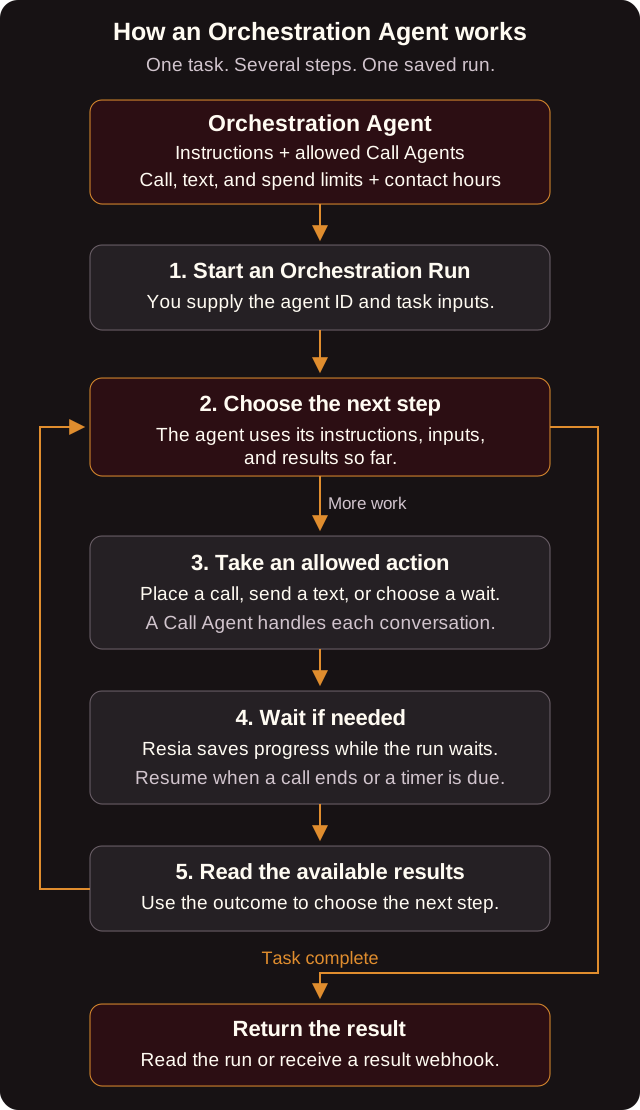
For example, a run can call a patient to confirm an appointment. If nobody answers, it waits until later in the calling window and tries again, within its limits. When the patient confirms, the run finishes with that result in its analysis. The steps depend on the instructions and on what happens. Two runs of the same agent do not have to follow the same sequence.
You do not need an Orchestration Agent to place one call or to answer inbound calls. Use an Orchestration Agent when a task needs several steps or needs to wait.
Orchestration Agent fields
| Field | Required | What it does |
|---|---|---|
name |
Yes | Unique in your organization. |
instructions |
Yes | The goal of each run and how to reach it. |
input_schema |
Yes | JSON Schema for each run's inputs. |
analysis_prompt, analysis_schema |
Yes | How Resia turns the finished run into a structured result. |
max_calls |
Yes | The most calls one run may place. 0 means the run cannot call. |
max_spend_in_cents |
Yes | The most one run may spend. |
calling_window_start_local_time, calling_window_end_local_time |
Yes | The local times, as HH:MM:SS, between which a run may place calls. |
triggerable_call_agent_ids |
No | The Call Agents that runs may use to place calls. |
max_messages |
No | The most text messages one run may send. The default is 0, which means none. |
triggerable_chat_agent_ids |
No | The Chat Agents that runs may start chats with. This also needs max_messages above 0. |
milestones |
No | Named stages that a run can report, such as reached_patient. Each has a name and a description. |
tools |
No | The names of your organization's custom tools that runs may use, at most 64. See Give your agents a custom tool. |
run_ended_webhook_url |
No | An HTTPS URL that receives orchestration_run.ended when a run finishes. |
Every Call Agent and Chat Agent that you list must belong to your organization and must not be archived.
In Orchestration Agent instructions, $name refers to a run input, and every variable must appear in input_schema.properties. Resia gives the validated inputs to the agent as a separate JSON object. It does not replace the variables in the text.
Like other agents, a new or edited Orchestration Agent can need review before its runs place production calls. Read review_status.
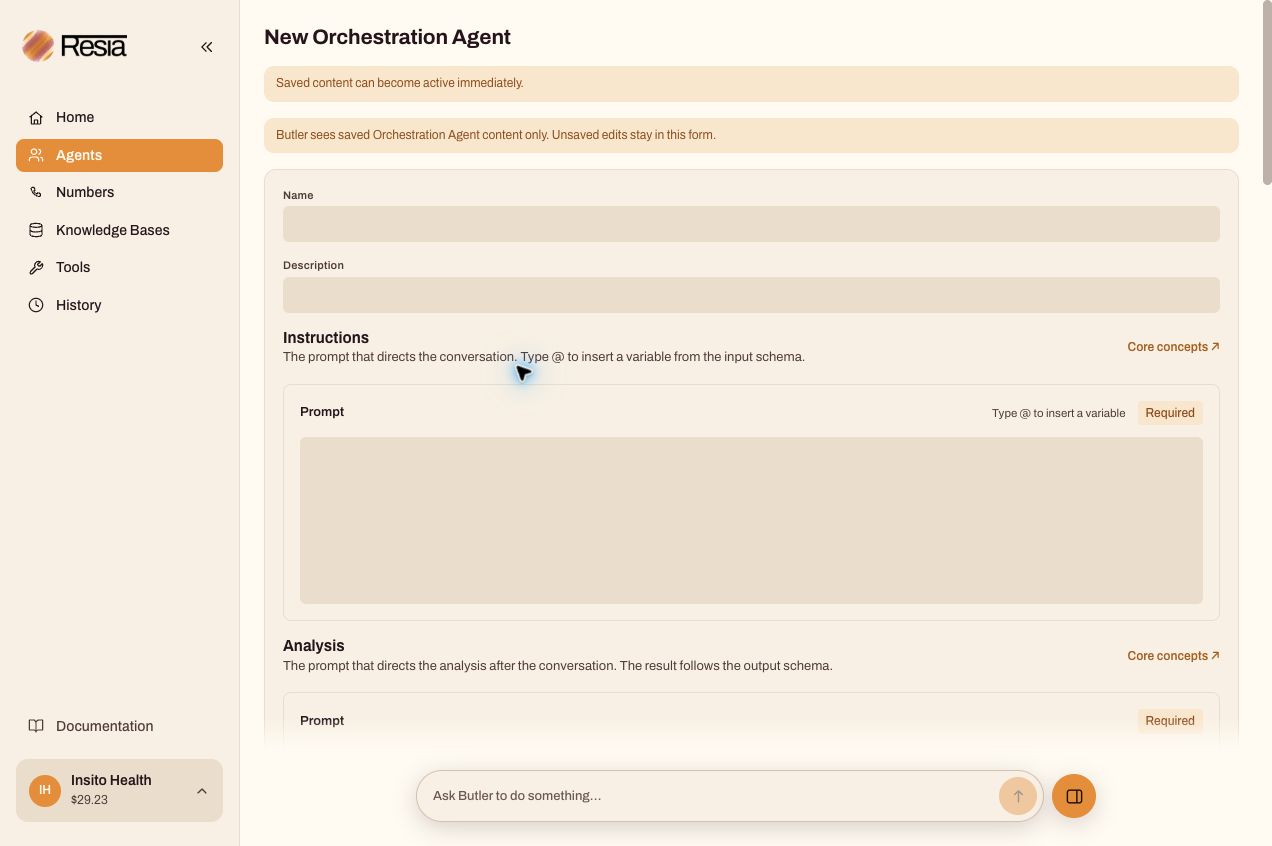
You can also create an Orchestration Agent in the portal under Agents → New agent.
Chats in a run
A run can start a text chat with a person, the same way it places a call. The run needs a Chat Agent in triggerable_chat_agent_ids and max_messages above 0.
- A chat from an Orchestration Agent is an SMS chat. The run's agent writes and sends the opening text.
- Each started chat counts as one message against
max_messages. It must start inside the calling window. - The person's individual replies do not wake the run. The Chat Agent answers them.
-
When the chat ends, Resia wakes the run with its outcome:
completed,cancelled, orfailed. Resia includes the analysis of a completed or cancelled chat. The run can wait for that outcome and act on it, as it does after a call.
Visual Builder
Open an Orchestration Agent in the portal to see its Visual Builder tab. The canvas shows these parts of one run:
- Its start and inputs.
- The Orchestration Agent and its limits.
- The Call Agents and Chat Agents it can use.
- Messages, waits, and milestones.
- Outputs and the run-ended webhook.
Edit the limits and the allowed agents on the canvas or on the Settings tab.
Test run starts a real run with the saved, active version. It can place real calls, send real texts, and spend money, up to the limits of the latest saved version. Normal charges apply.
Calling window and time zone
The calling window has no time zone of its own. Each run reads it in the time zone from inputs.timezone, an IANA name such as America/Los_Angeles. If a run has no timezone input, Resia uses America/New_York. Resia refuses an unknown time zone with 422.
Run status
| Status | Meaning |
|---|---|
queued |
The run waits to start. |
running |
The run does its next step. |
waiting |
The run waits, for example for a call to end or for the calling window to open. waiting_for says why. |
succeeded |
The run finished. Its result is in analysis. |
failed |
The run could not finish. error_code gives the reason. |
cancelled |
Someone cancelled the run. |
Each run also reports milestone (the last stage it reached) and charges (what it cost so far across calls, messages, and model use).
error_code on a failed run is one of these:
error_code |
Meaning |
|---|---|
RUNTIME_FAILURE |
The run stopped on an error. |
INVALID_ANALYSIS |
The result did not match analysis_schema. |
BUNDLE_VERIFICATION_FAILED |
The agent setup did not pass its check. |
List runs
GET /v1/orchestration-runs lists your organization's runs, newest first. Filter by orchestration_agent_id, which also finds the runs of an archived agent, or by one tag pair with tag_key and tag_value. See Tags. Follow next_cursor for the next page. Each item is the same record that GET /v1/orchestration-runs/{orchestration_run_id} returns.
To list the calls or the chats of one run, send orchestration_run_id to GET /v1/calls or GET /v1/chats.
To see each step of one run, read it with include_tool_activity=true. See See each tool call of an orchestration run.
Limits and money
- A run cannot place more than
max_callscalls, send more thanmax_messagestexts, or spend more thanmax_spend_in_cents. - Runs also count against your organization's call and text rate limits.
- A text reply to a one-way text that the run sent does not reach the run. For a two-way conversation, start a chat. The run gets the chat's outcome when the chat ends. See Chats in a run.
Next step
Run an Orchestration Agent
Create an Orchestration Agent. Start a run with it.
API reference
Orchestration Agents · Orchestration Runs
The old public names are deprecated until 2026-10-25. Read Deprecated names before you update an existing integration.

