Resia Butler
Resia Butler is the assistant built into the Resia portal. Tell it what you want in plain words, and it does the work for you: it builds and edits agents, explains what happened on a call, looks up usage, and answers questions about the API.
Butler works through the same public Resia API that your own software uses, and it acts with your permissions. It cannot do anything that you could not do yourself in the portal.
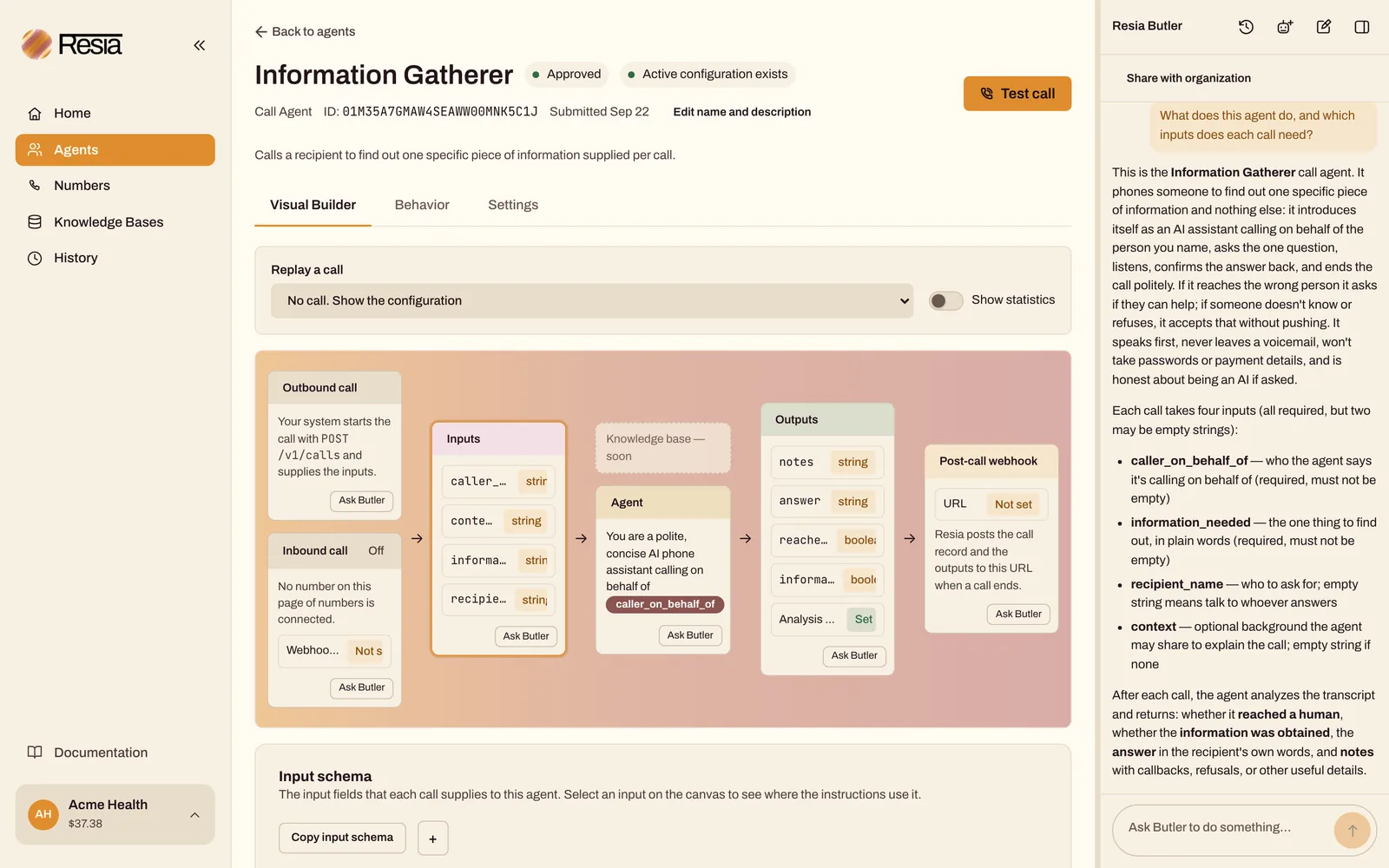
Open Butler
- The input bar. Every signed-in page has an Ask Butler to do something… bar at the bottom. Type a request and press Enter. The reply appears above the bar.
- The side panel. Select the panel icon next to the bar to open the full conversation beside the page.
- Ask Butler buttons. Many cards in the portal, such as the boxes in an agent's Visual Builder or a call in History, have an Ask Butler button. It writes a draft question about that item into the input bar. Butler receives nothing until you send it.
What Butler knows
Butler knows which page you are on. It receives:
- the page and the IDs shown on it, such as the agent or call you have open
- any filters you set
- an unsaved Call Agent draft you are editing
- text you highlighted on the page
It does not receive screenshots of your screen. For anything else, it reads your organization's data through the API, the same way the portal does.
What Butler can do
| Task | Example request |
|---|---|
| Build an agent | "Create a Call Agent that confirms tomorrow's appointments and records whether the patient will attend." |
| Change an agent | "Make this agent greet the caller first and speak more slowly." |
| Explain a call | "Why did this call fail?" or "What did the patient say about rescheduling?" |
| Explain a workflow run | "Why is this run still waiting?" |
| Look things up | "How much did we spend on calls this month?" or "Which numbers have no inbound agent?" |
| Answer API questions | "Show me the request to start a workflow run from Python." |
After Butler saves a change, reload the page to see it.
Actions that need your confirmation
Butler asks before it does anything that costs money, reaches a person outside your organization, or cannot be undone. It shows what it wants to do and waits. Nothing happens until you select Confirm. Select Cancel, or send a new message, to stop.
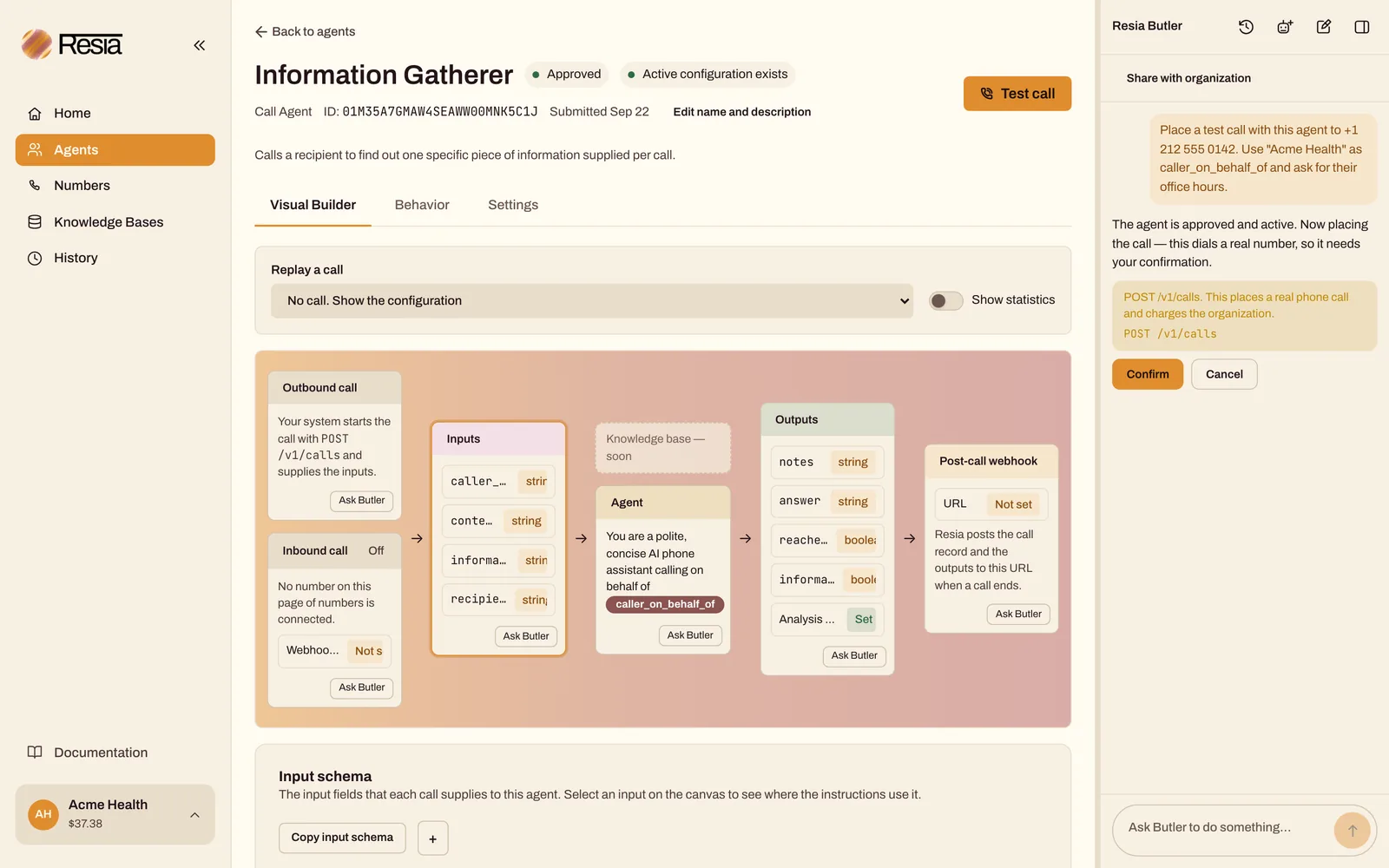
Butler asks first before it:
- places a call or a call batch
- sends a text message or a text message batch
- starts a workflow run
- buys a phone number
- registers a 10DLC brand or campaign, or attaches numbers to a campaign
- creates an API key
- changes automatic recharge
- archives an agent, revokes an API key, removes a member, or cancels an invitation
Other actions run at once, such as reading data, creating an agent, or editing an agent. You see every step in the panel, and you can ask Butler to undo a change in your next message. Butler never deletes anything without asking.
API keys and invitations
- A new API key created by Butler appears in the same one-time window as on the API Keys page. The secret is never written into the conversation, so it is safe to share the conversation.
- An invitation created by Butler does not show its link. To copy an invitation link, create or resend the invitation on the Members page.
Conversations
- Butler keeps each conversation. Use the icons at the top of the panel to open an earlier conversation or start a new one.
- A conversation is private to you. Turn on Share with organization to let your teammates read it. Only you can continue it or turn sharing off.
- Butler can keep short notes about your organization, such as your naming conventions, and uses them in later conversations.
- Resia keeps conversations with no expiry date. Do not paste passwords, card numbers, or API keys into Butler.
Limits
- One reply can run for up to 10 minutes. A longer task stops, and you can ask Butler to continue.
- To stop Butler mid-task, stop the reply or close the panel. Butler stops at its next step. A request that it already sent is not recalled.
- Butler's replies are written by an AI model. Check important results, such as a new agent's instructions, before you rely on them. Your messages, and the data Butler reads to answer them, are processed by Resia's AI model provider.
Cost
Butler itself is free to use today. Actions that Butler takes cost the same as when you take them, for example a call it places after you confirm it.

