Billing
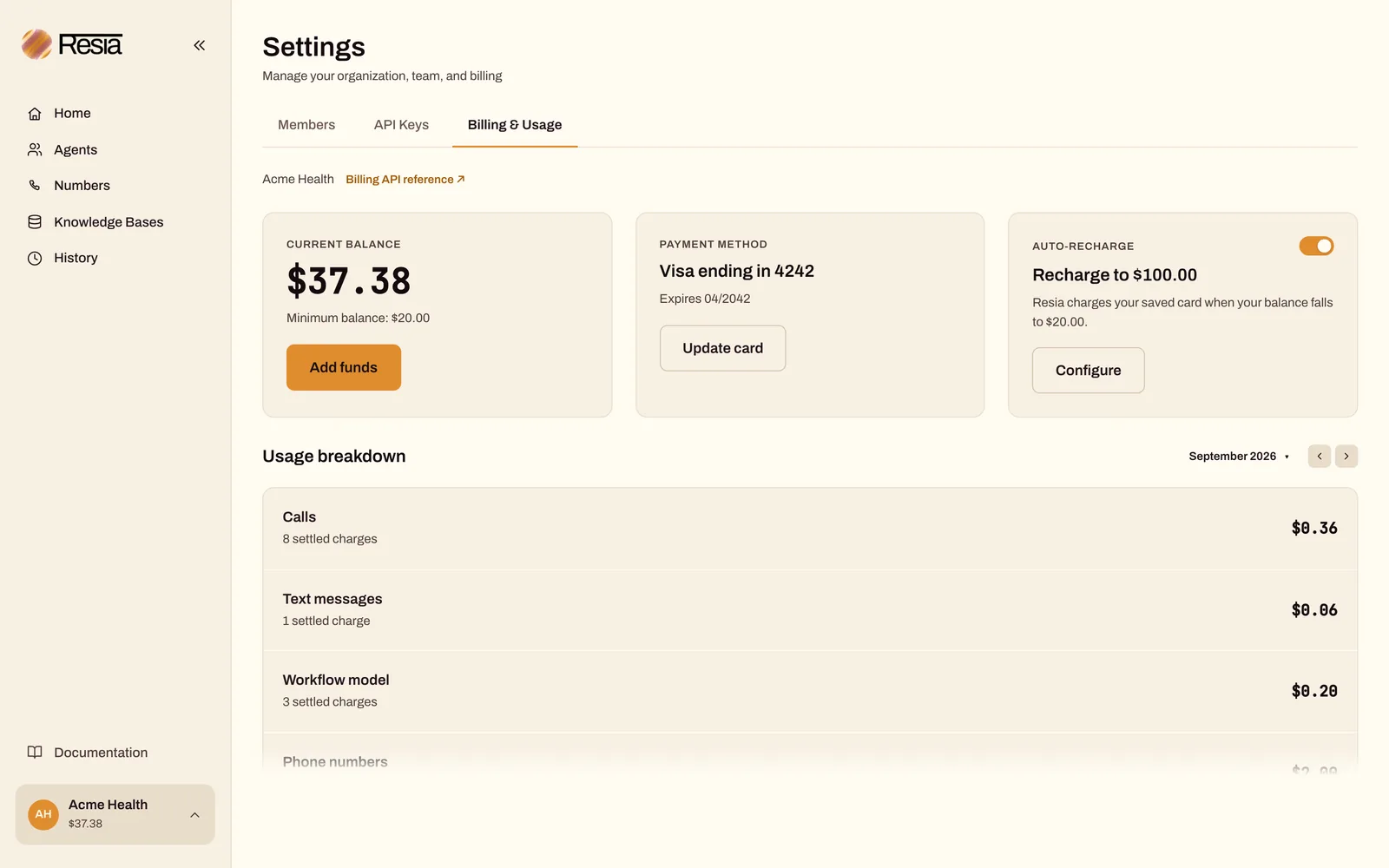
Resia is pay as you go. Each organization has one prepaid balance in US dollars. Calls, text messages, chats, phone numbers, orchestration runs, extra concurrent call slots, and 10DLC registration fees are charged against it.
How the balance works
- The balance is the money you added, minus usage that has settled. Usage that has not settled yet is not subtracted.
- Resia refuses new paid work with
402only when the balance is $0.00 or less. - Read the balance, the saved card, and the recharge setting with
GET /v1/billing.
In the portal, open Settings → Billing & Usage to see the balance, the saved card, automatic recharge, and the usage of one month. The usage breakdown has these categories: calls, text messages, orchestration model, chats, phone numbers, call slots, and 10DLC. Usage follows UTC months, and a delayed charge can change a past month.
Add funds
You can add funds in two ways. Both use a hosted Stripe page, so Resia never sees your card number.
Save a card once, and Resia keeps the balance topped up.
- Automatic recharge is on by default, with a $20.00 target.
- When the balance falls to $20.00 or less, Resia charges the saved card to bring the balance back up to the target. Each charge is at least $20.00.
- Change the target, or turn recharge off, with
PUT /v1/billing/auto-recharge:
curl --fail-with-body --silent --show-error \
  --request PUT "$RESIA_API_BASE/v1/billing/auto-recharge" \
  --header "Authorization: Bearer $RESIA_API_KEY" \
  --header 'Content-Type: application/json' \
  --data '{"enabled": true, "target_in_cents": 10000}'
target_in_cents must be at least 2000. Send {"enabled": false} to stop automatic charges.
If an automatic charge fails, Resia waits a day before it tries the same card again. Saving a new card allows a charge at once.
POST /v1/billing/top-ups creates a Stripe payment page for a fixed amount of at least $20.00. Send the person to the returned page. Resia adds the money when Stripe confirms the payment, usually within seconds.
Idempotency-Key is required. If there is no saved card yet, the card used for the top-up becomes the saved card.
What things cost
| Item | How it is charged |
|---|---|
| Calls | Per call, based on connected time and the services used. List with GET /v1/call-charges. |
| Text messages | USD 0.02 per SMS segment or USD 0.04 per MMS carrier part, unless your organization has an override. Each message charge rounds to the nearest whole cent, with half a cent rounded up. Both directions use the same rate, for each text that Resia sends and each text that reaches one of your numbers. List with GET /v1/message-charges; direction is sent or received, and text_message_id is empty for a received text. |
| Chats | The model usage of the chat, including its analysis, charged once when the chat ends. The messages of a text-message chat are text message charges. |
| Phone numbers | One month when the number's order completes, then one month on the same day of each later month until you release the number. List with GET /v1/phone-number-charges. |
| Orchestration runs | The calls and texts they make, plus the model usage for each step. Each run reports its charges. |
| Concurrent call slots | Each concurrent call slot above the 10 that every organization gets costs one month when it is added, then one month on the same day of each later month. When your limit goes down, Resia removes the newest slots at once, with no later charge. |
| 10DLC | The registry's one-time fee for each brand that you register through the API, when the registry registers it. One month for each campaign when the registry accepts it, then one month on the same day of each later month until you release the campaign with DELETE /v1/10dlc/campaigns/{campaign_id}. A campaign that the registry rejects costs a one-time rejection fee and no later month. |
For your current prices, see your agreement or contact support@resia.ai.
Usage and spend reports
GET /v1/billing/usagecounts what you used in one UTC calendar month: calls and their connected minutes, text messages, orchestration runs, 10DLC submissions, and the numbers you own. Addengine=falsefor a faster report without the call durations.GET /v1/billing/spendreports what you were charged in one UTC calendar month. It has one section for each charge type:calls,messages(texts sent and received),orchestration_tokens,chats,phone_numbers,call_concurrency_slots, andten_dlc.total_finalized_in_centsis the sum of the settled amounts. Pending charges are counted, not estimated.- Read
orchestration_runs_countin the usage report andorchestration_tokensin the spend report. The old names stay, with equal values. They were scheduled to stop on 2026-10-25. Thecomponentsparameter and thecall_componentssection no longer exist. See Deprecations.
API reference: Billing
Fullplex
See Fullplex prices for duration, backend token, and hosted-tool charges.
Fullplex session charges use nanocents.
A nanocent is one billionth of one US cent.
The fullplex_sessions spend section reports the total in rounded cents.
See Live API for live sessions.